(762) 753-5779
Book a Tour

Venue Instructions

Everything you need to operate the space during your event.

Entering and Exiting the Building

The doors will automatically unlock ten minutes before your scheduled event time and lock again at your scheduled departure time.
Operating the Garage Door

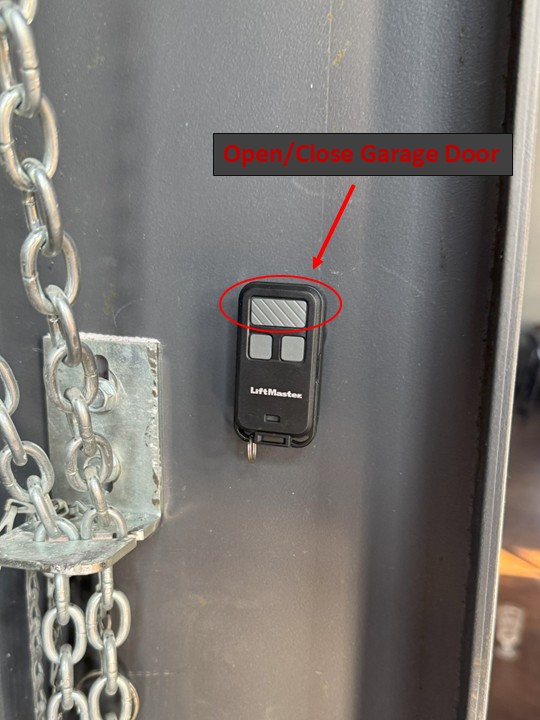
  • The garage door opener will be on the column right next to the garage door.
  • The big top button opens and closes the garage door.
Garage door remote

Connecting to Wi-Fi

Connect to the Wi-Fi to screen-share with the TV.
  • SSID: Warehouse 15 Guest
  • Password: MyPartyRocks!

Adjusting the Thermostat

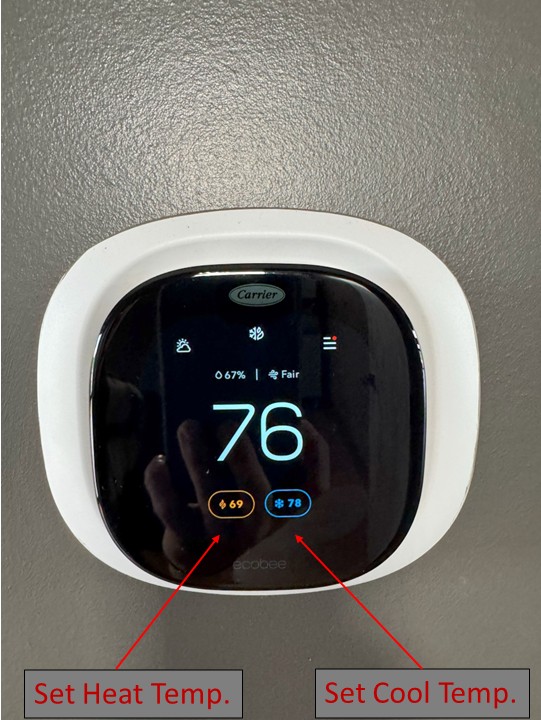
  • Tap the screen to wake it up.
  • Select either the heat or cool setting.
  • Use the (+) and (-) icons to raise or lower the temperature.
Thermostat controls

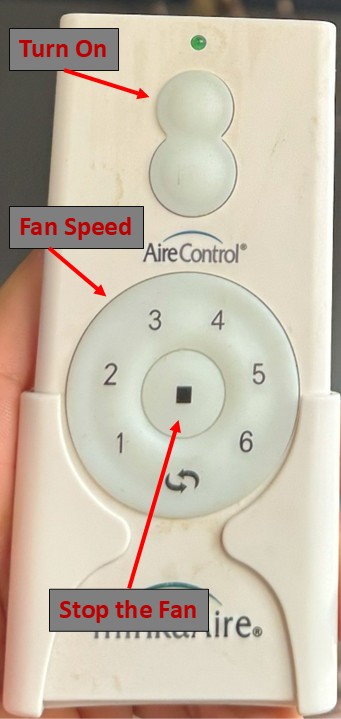
Using the Fan

  • The fan remote will be by the patio door on the window sill.
  • To turn the fan on, press the top button on the remote.
  • Use the circular number pad at the bottom of the remote to adjust the fan speed.
  • The stop button in the middle of the circular pad will turn the fan off.
Fan remote control

TV Screen Share

On your device:

  • Ensure your device and TV are both on the Wi-Fi network Warehouse 15 Guest.
  • For iPhones, swipe down to open quick settings and select the two rectangle icons for screen mirroring. On Android, swipe down for quick settings and tap Device Control or open the SmartThings app.
  • Tap Cast, Smart View, or Screen Mirror.
  • Pick the TV and follow any prompts. Done!
  • You can also access AirPlay instructions by pressing the Home button on the remote and navigating to AirPlay.
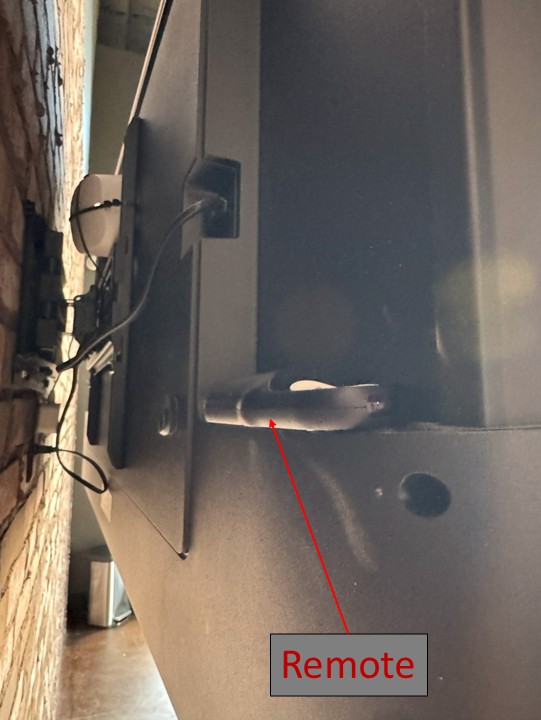
  • The TV remote will be placed on the back of the TV to the left side.
TV remote control

Speaker Connection

Get the PYLE PSBT125A speaker rocking:
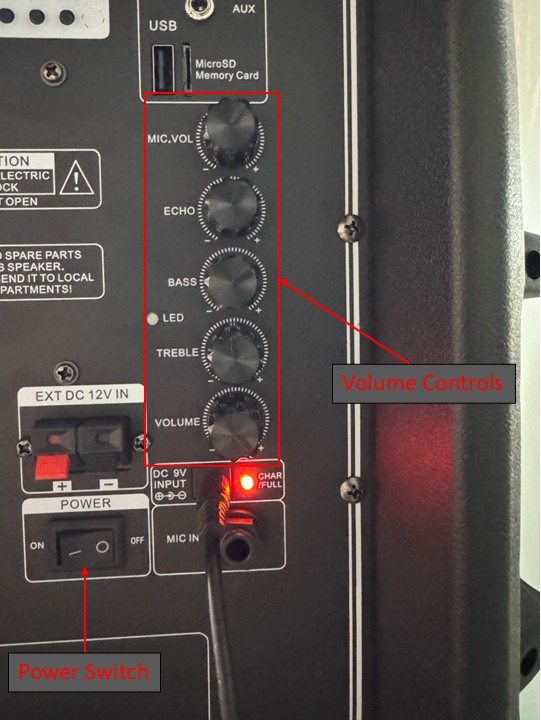
  • Turn the power switch on.
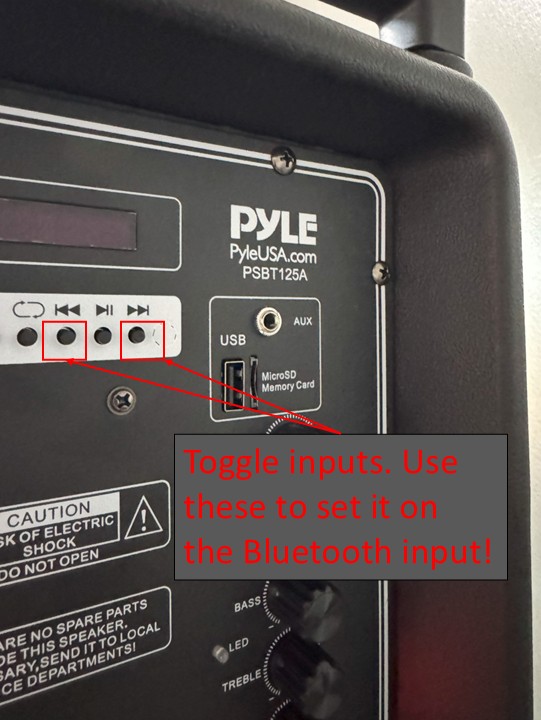
  • Press the ↔ button on the back until it turns blue.
  • Use the arrow buttons to set the input to Bluetooth.
  • Go to your phone's Bluetooth settings and connect to PYLE PSBT125A.
  • Grab the mic from the corner basket, switch it on, and karaoke away!
  • You can control the volume with the knobs on the back of the speaker, your phone, or a remote that is in the corner basket.
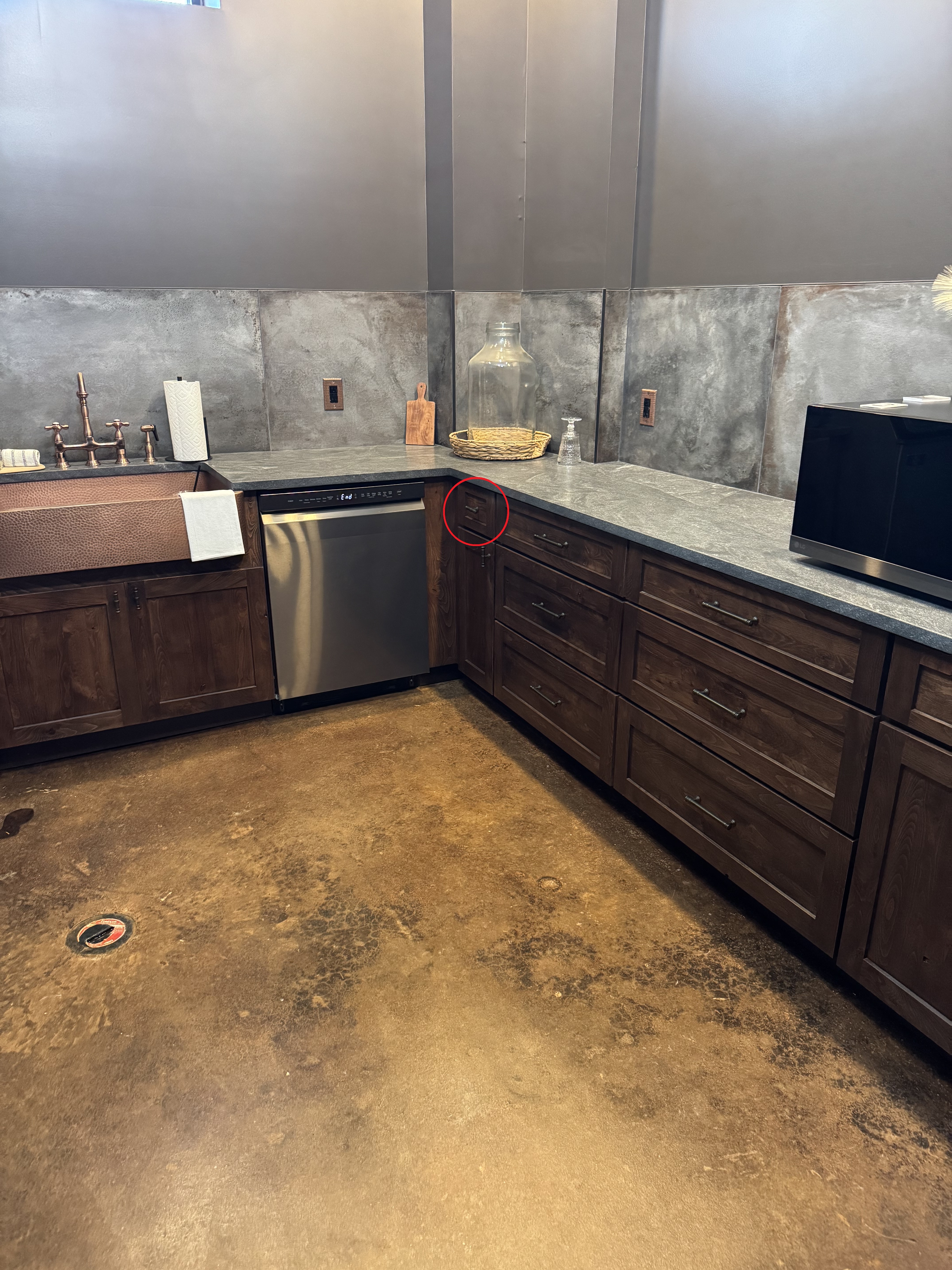
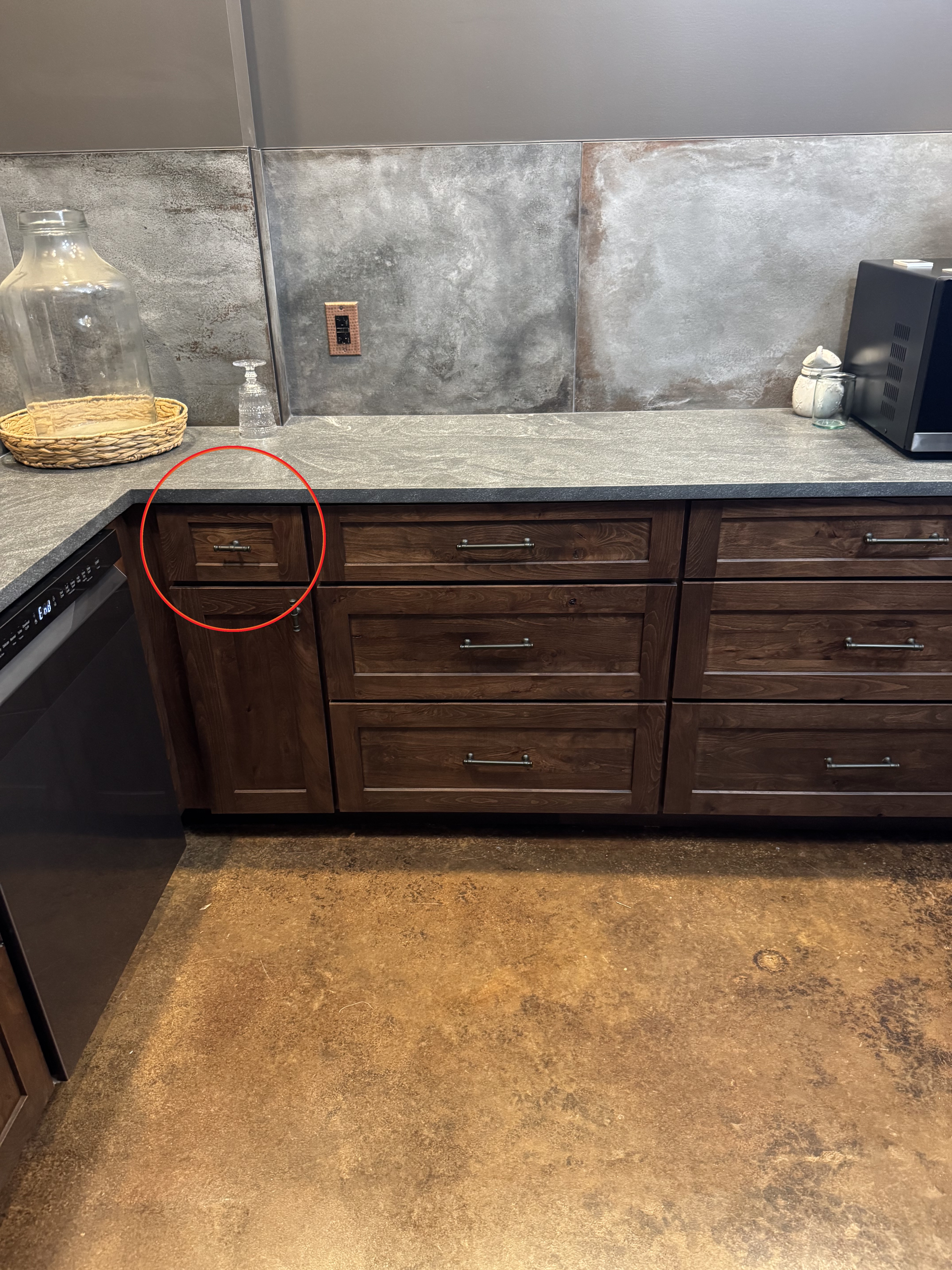
  • Mic dead? Spare batteries are in the top kitchen drawer by the dishwasher.
PYLE speaker controlsPYLE speaker inputsSpeaker and mic setupCorner basket with remote

Patio Speaker Connection

Play tunes on the patio speakers:

  • Connect to Warehouse 15 Guest Wi-Fi.
  • Open your music app and select the patio speakers as output.
  • iOS: Swipe down, tap the music tile, and choose Warehouse Patio via AirPlay.
  • Wi-Fi connected? You are set — blast those outdoor vibes!